Professional email
without the bloat.
Connect your domain, create real mailboxes, and send authenticated email in minutes. No Workspace licenses, no per-seat pricing, no calendar you don't need.
Faster setup than Zoho
Email authentication
Per-seat fees
Domains for admins
Everything you need
Domain email that actually works.
No workspace bloat. No per-seat pricing. Just clean, authenticated email for your custom domain.
One-click domain setup
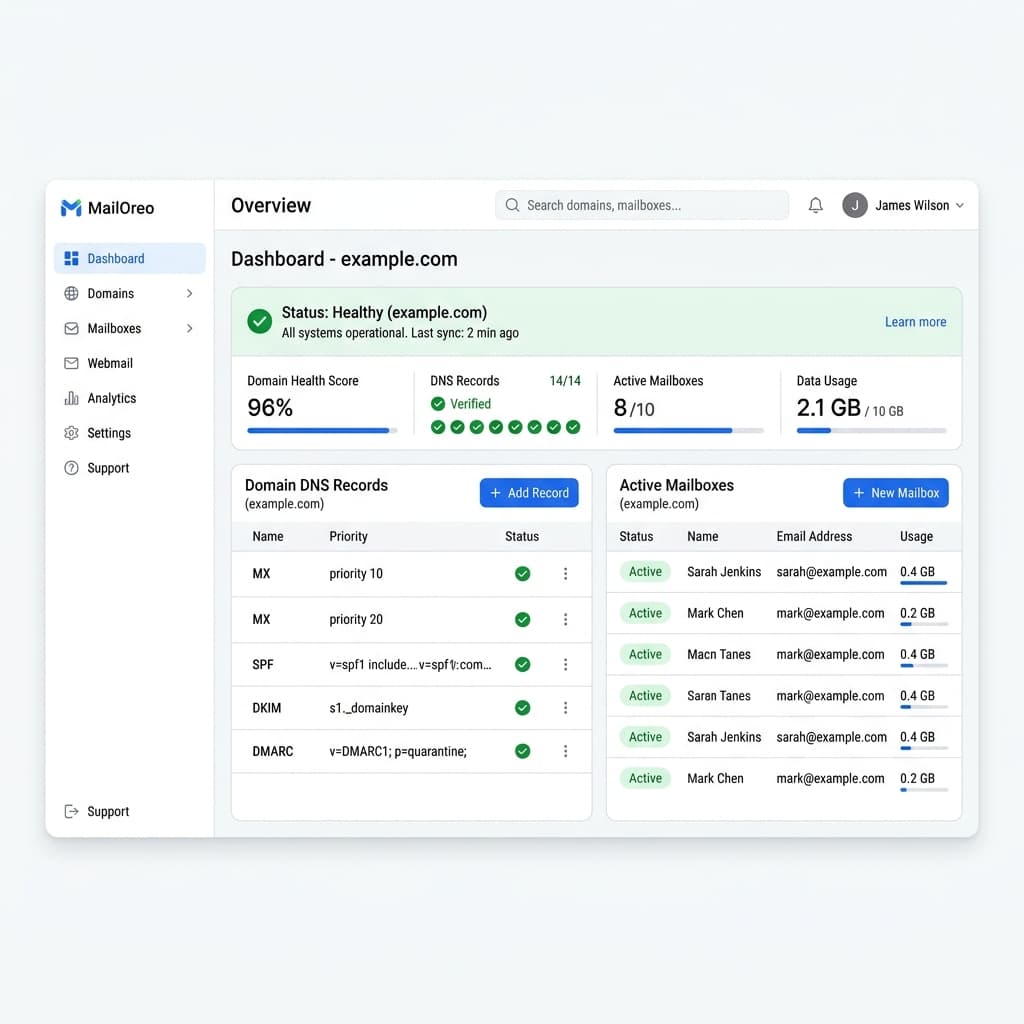
Scan DNS, auto-detect your provider, generate all records (MX, SPF, DKIM, DMARC, MTA-STS, TLS-RPT), and verify them live.
Real mailbox provisioning
Mailboxes are active only after the mail backend confirms creation. IMAP, SMTP, and webmail — all standard protocols.
Full authentication stack
DKIM signing, SPF alignment, DMARC enforcement, MTA-STS, and TLS-RPT. Every email passes authentication checks.
Self-hosted mail server
Your mail lives on your own infrastructure. No shared tenancy. Mailu-backed with Postfix, Dovecot, and Rspamd.
Brevo SMTP relay
Outbound mail relayed through Brevo for maximum deliverability. No IP reputation warmup required.
Cloudflare DNS automation
Connect your Cloudflare account and MailOreo auto-creates all DNS records. Zero manual record copying.
Deliverability monitoring
Track outbound send logs, domain reputation, and DNS record health in real time from your dashboard.
Team collaboration
Multi-user organizations with role-based access. Team inboxes, aliases, and forwarding rules built in.
Abuse & audit system
Complete audit logs for every action. Abuse flagging and severity tracking for compliance.
How it works
Production-ready email in 5 minutes.
Connect your domain, let MailOreo scan your DNS, generate all authentication records, create mailboxes, and start sending — all from one dashboard.
Why MailOreo?
Compare with the giants.
MailOreo delivers professional email features without the bloat, lock-in, or per-seat pricing of legacy providers.
“Finally, custom domain email without paying $6/user/month for a calendar I'll never use.”
— Developers, agencies, and small businesses who just need email
Enterprise infrastructure
Built on battle-tested open source.
Postfix
SMTP server
Dovecot
IMAP server
Rspamd
Spam filtering
Roundcube
Webmail